Registering Weekends and Holidays and Working Day Calculation
The Impact of Non-Working Days (Holidays) on Schedules
No matter how busy a project is, people cannot work every single day unless they are machines. Team members' weekend rests, national holidays, or company foundation days must be excluded from the number of working days when calculating project Duration. Rudia Online Gantt is equipped with an excellent calendar engine that calculates this accurately.
If a task's Duration is set to 5 days, and it starts on a Thursday, it must skip the weekend (Saturday and Sunday) and finish on the following Tuesday. Rudia Gantt automatically recognizes the holidays specified by the user and visually extends the length of the task bar to draw the exact end date on the timeline.
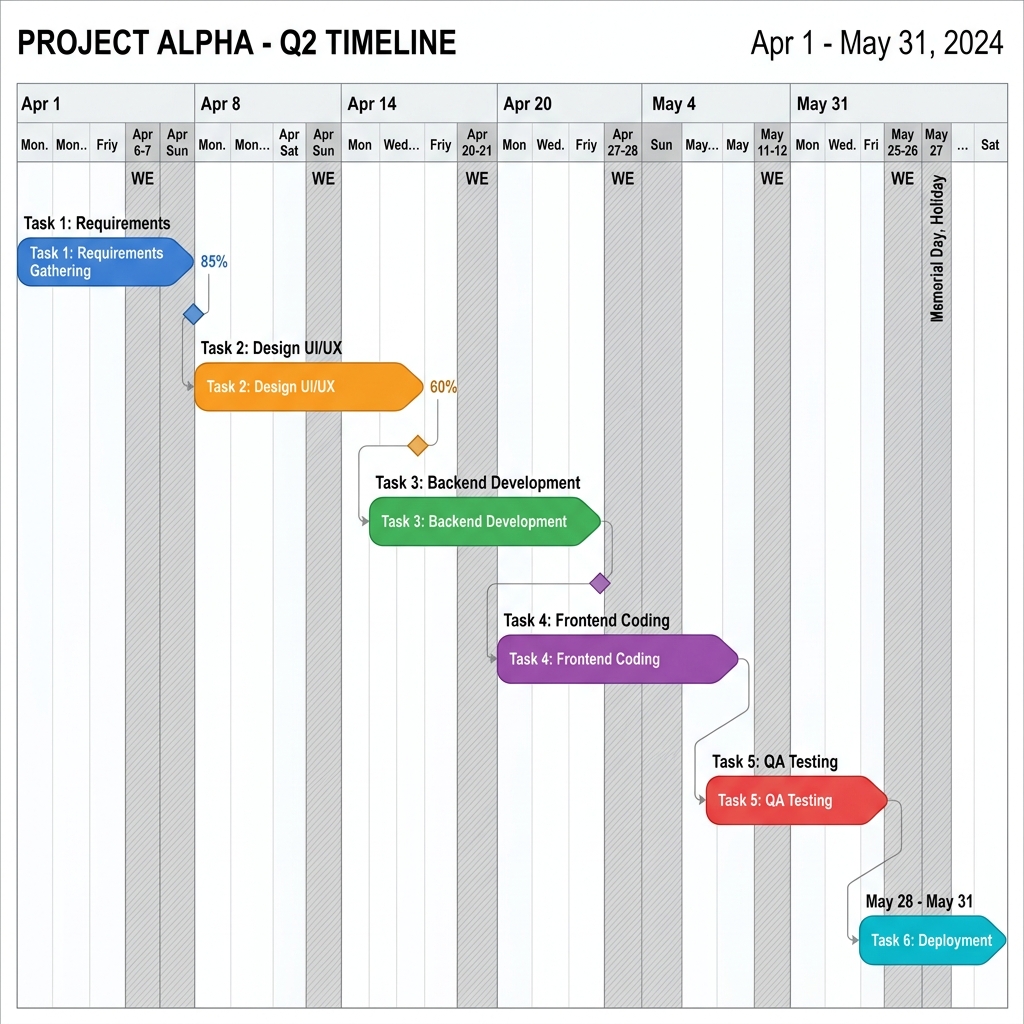
[Figure 5] A brilliant timeline where working days are calculated avoiding holidays (grey columns)
How to Use the Holidays Settings Menu
Clicking the [Holidays] button (calendar icon) located on the top toolbar opens a modal window where you can freely set non-working days applied across the entire project.
| Setting Feature | Detailed Options & Effects |
|---|---|
| Ignore/Apply Weekends Toggle | By default, Saturdays and Sundays are considered holidays and displayed with a grey background. However, for construction sites or projects with weekend shifts, turning on the "Include Weekends" option calculates weekends as normal working days. |
| Add Specific Holidays | You can pick dates on the calendar widget to register national holidays (like Christmas or Thanksgiving) or specific non-working days. Registered dates are instantly rendered as grey columns on the timeline, and all task bars overlapping those dates automatically lengthen backwards by one day. |
Automation Ensuring Schedule Integrity
Once holidays are set, users never need to look at a calendar and count days manually every time they add a task or modify a date. This is because Rudia Gantt's background engine repeatedly calculates the formula [Start Date + Duration = End Date (excluding holidays)] in 0.01 seconds to provide a perfect schedule on the screen. Make it a habit to click the Holidays button first before a project kick-off!