Stop managing schedules with Excel! Use 'Rudia Online Gantt', a lightweight web-based Gantt chart.
Still using Excel for project schedules?
Systematic schedule management and task visualization are essential for project success. However, manually coloring Excel cells or learning heavy, complex project management software often reduces efficiency.
Today we introduce 'Rudia Online Gantt', a lightweight web-based Gantt chart solution that anyone can use intuitively directly from a web browser, without complex installations or tedious sign-up processes.
Let's take a closer look at the core features that can help our project management.
🚀 Explore Core Features of Rudia Online Gantt
1. Click and drag! Intuitive Drag & Drop
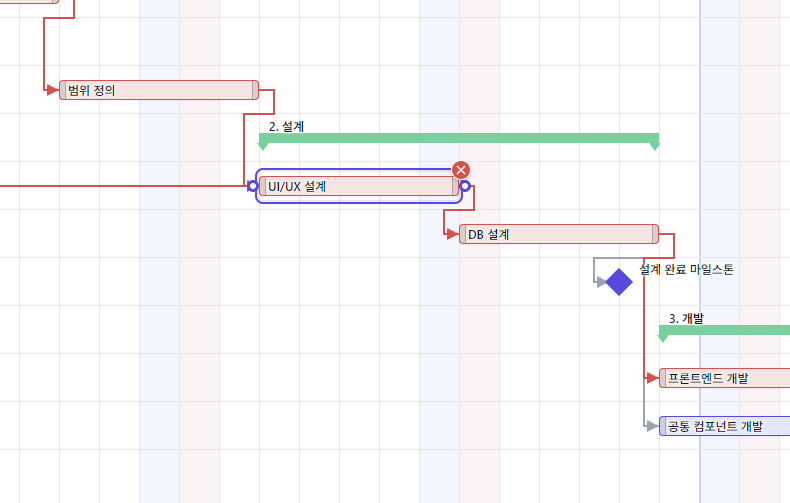
Optimized for project environments with frequent schedule changes. You don't need to edit dates manually; simply click and drag the task bar on the chart to the desired date, and the schedule changes instantly. Adjusting the duration by stretching or shrinking the ends of the task bar is also very smooth and intuitive.
2. Systematic hierarchical WBS (Work Breakdown Structure) support
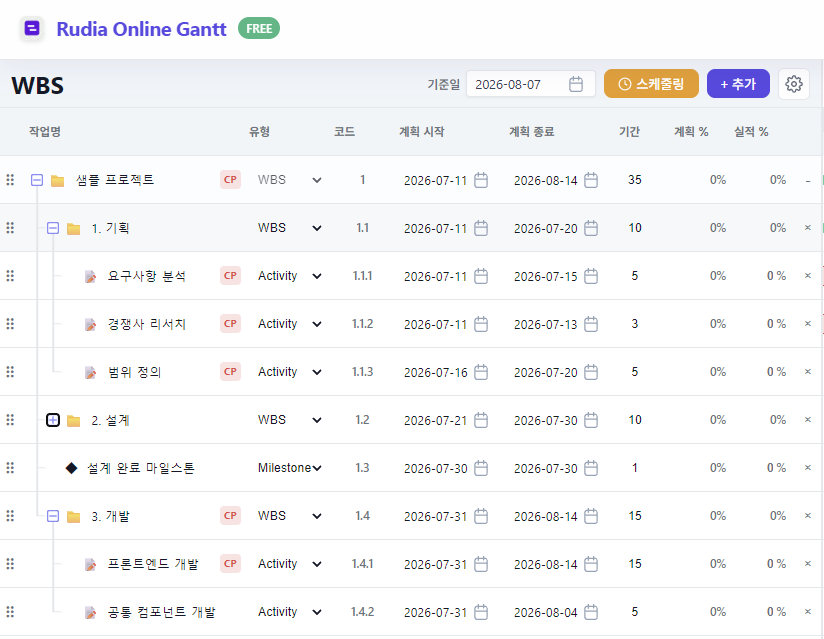
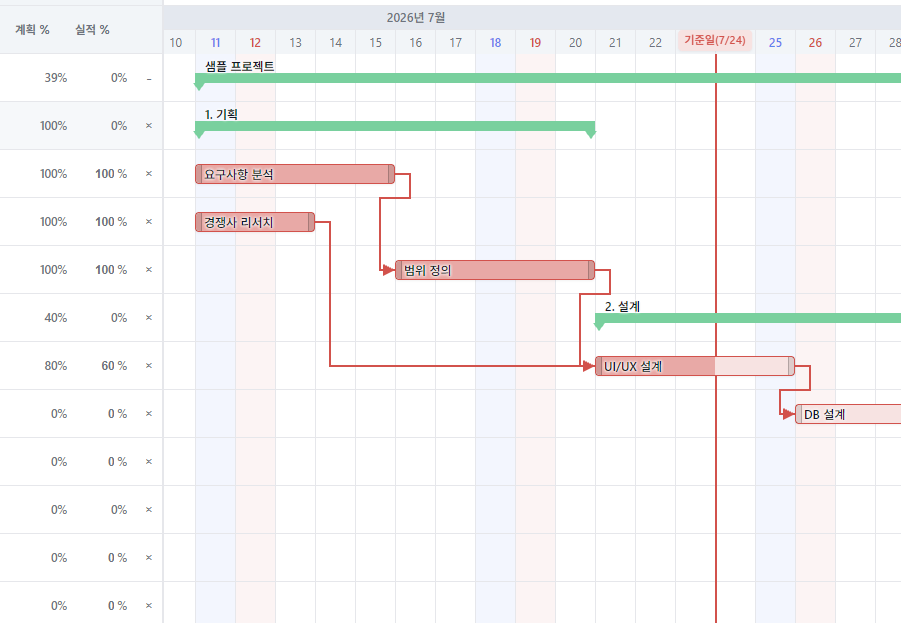
To efficiently manage large projects, a WBS that breaks down work into smaller units is essential. Rudia Online Gantt allows you to create infinite hierarchical folder structures with parent-child relationships in the left data grid. The parent task (group) automatically calculates the duration and overall progress of the sub-tasks and displays them at a glance.
3. Dependency connections to understand the workflow between tasks
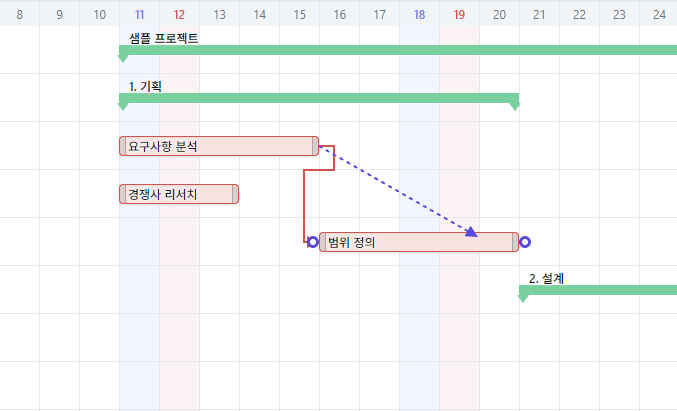
You can clearly visualize relationships between predecessor and successor tasks, such as 'Design can start after Planning is finished'. Easily predict the Critical Path and bottleneck sections of the entire project through intuitive arrow lines connecting each task bar.
4. Flexible timeline Zoom by Day/Week/Month
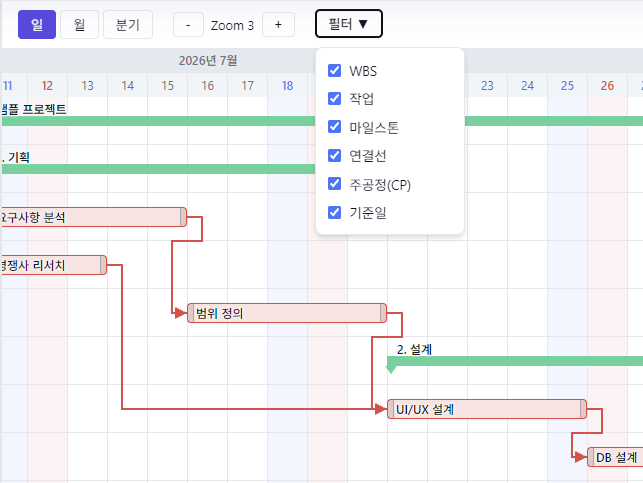
Sometimes you need to see the overall project roadmap, and sometimes the detailed schedule for this week's sprint. Using the zoom control at the top, you can shrink and expand the timeline in real-time by Day, Week, and Month units, perfectly covering both short-term schedules and long-term plans.
5. Task Progress at a glance
Intuitively displays how much each task has progressed so far, filled with color inside the task bar in percentage (%). You can monitor team members' work progress right on the chart without separate reports.
💡 Why choose 'Rudia Online Gantt'?
- No Installation & Instant Execution: You don't need to install any program on your PC. You can start working right away anywhere with just an internet browser.
- Fast and Smooth Speed: By removing heavy, unnecessary features and focusing on core schedule management and chart rendering, it operates smoothly even with massive amounts of data.
- Easy Usability for Anyone: Provides a UI that anyone who knows how to use Excel or click a mouse can adapt to within 1 minute, without the need for a separate manual or learning time.
🎉 Visualize your project right now!
If you want to break free from the stress of schedule management and focus only on project success, experience Rudia Online Gantt right now. It will be an innovative tool that takes your work productivity to the next level.
Rudia Online Gantt prioritizes user convenience and will continue to evolve into a more powerful project management solution through continuous updates. If you have any questions while using it or features you would like added, please feel free to leave a comment anytime!